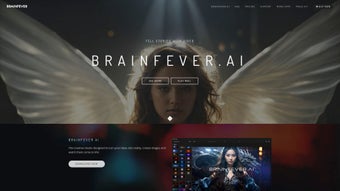

Download BrainFever – AI Art Generator, Text‑to‑Image, Free & Secure
Overview: Turning Words into Visual Masterpieces
BrainFever is a cutting‑edge web‑based AI art generator that transforms simple text prompts into stunning visual creations. Powered by the latest versions of OpenAI’s DALL‑E 3 and the SDXL stable diffusion model, the platform delivers high‑resolution images in multiple aspect ratios—landscape, portrait, and square—making it ideal for social media posts, marketing material, concept art, and even experimental animation. Unlike many AI image tools that lock users into proprietary ecosystems, BrainFever grants full ownership rights over every image you generate, so you can commercialize, edit, or share your work without restrictions.
Designed for creators of all skill levels, the interface is clean, intuitive, and fully responsive, meaning you can work from a desktop, laptop, or any Apple device (iPhone, iPad, Mac). The application also includes a robust set of built‑in photo editing utilities, allowing you to fine‑tune colors, add atmospheric effects such as rain or fog, and layer multiple AI‑generated elements into a single composition. Whether you’re a graphic designer looking for fresh inspiration, a marketer needing eye‑catching visuals on a tight deadline, or a hobbyist eager to explore AI‑driven creativity, BrainFever offers a free‑to‑try experience that feels both powerful and secure.
Security and privacy are baked into the platform. All data transmission is encrypted via HTTPS, and the service does not store your prompts after the session ends unless you explicitly save a project to the personal library. This library functions as a cloud‑based portfolio, letting you organize creations by tags, dates, or custom folders. The combination of high‑quality output, flexible editing, and respect for user ownership positions BrainFever as a standout option in the crowded AI‑art market.
Beyond the core generation engine, BrainFever provides a vibrant community hub where artists can showcase their work, remix public projects, and follow trends across different artistic styles. The hub also serves as a source of inspiration, offering ready‑made prompts and style presets that can jump‑start a creative session. With regular updates that incorporate the newest model improvements and UI refinements, BrainFever remains at the forefront of AI‑assisted design, ensuring that users always have access to the most advanced tools without needing to install anything locally.
Key Features That Set BrainFever Apart
BrainFever’s feature set is deliberately extensive to satisfy both casual creators and professional designers. The platform combines two powerful generative models, an adaptable editing suite, and cloud‑based project management, all wrapped in a browser‑native experience. Below is a detailed look at what makes BrainFever a compelling choice for anyone who needs high‑quality AI‑generated visuals quickly and securely.
- Dual‑Model Engine: Leverages both DALL‑E 3 and SDXL for versatile style ranges—from photorealistic renders to painterly abstractions.
- Multiple Aspect Ratios: Choose landscape, portrait, or square formats instantly, perfect for Instagram, YouTube thumbnails, or printed media.
- Extensive Style Library: Hundreds of pre‑built templates and artistic styles, including cyberpunk, vintage, watercolor, and 3D renders.
- Advanced Photo Editing Suite: Integrated tools for brightness, contrast, saturation, background removal, and special effects like rain, fog, and lens flares.
- Project Library & Cloud Sync: Save, tag, and organize creations across devices; automatic backup ensures you never lose a masterpiece.
- Full Ownership Rights: Every image you generate belongs to you; no hidden licensing fees or attribution requirements.
- Cross‑Platform Compatibility: Optimized for macOS, iOS, iPadOS, and any modern web browser on Windows or Android devices.
- Secure Data Handling: End‑to‑end encryption, no persistent prompt storage, and GDPR‑compliant privacy policy.
- Free Tier with Unlimited Drafts: Generate up to 20 high‑resolution images per month without paying; premium plans unlock higher resolution and priority processing.
- Community & Inspiration Hub: Browse trending creations, follow other artists, and remix public projects for collaborative creativity.
Each feature has been engineered to reduce friction in the creative workflow. For example, the dual‑model engine automatically selects the best model based on the style keywords you include in your prompt, while the editing suite eliminates the need for third‑party software after generation. The cloud‑sync capability means you can start a project on a desktop, continue on a mobile device, and finish on a tablet without losing any edits. Together, these capabilities deliver a seamless, end‑to‑end experience that empowers users to focus on imagination rather than technical hurdles.
Installation, Usage & Compatibility Guide
Because BrainFever is a fully web‑based service, there is no traditional installation process, which simplifies onboarding for users of all technical backgrounds. Below is a step‑by‑step walkthrough that covers account creation, prompt crafting, image generation, and final export, along with detailed compatibility notes to ensure a smooth experience on any device.
- Visit the Official Site: Navigate to brainfever.ai using any modern browser (Chrome, Safari, Edge, or Firefox). The site automatically detects your device type and serves an optimized UI.
- Create an Account: Sign up with an email address or use Apple/Google OAuth for instant access. Email verification is required for security, and two‑factor authentication can be enabled from the account settings.
- Choose a Plan: Select the free tier to test the platform or upgrade to the premium plan for higher resolution downloads, priority queue, and batch processing.
- Enter Your Prompt: Type a descriptive sentence or phrase in the text box. The AI understands natural language, so you can specify style, lighting, mood, and composition (e.g., “A futuristic cityscape at sunset, cyberpunk style, with neon rain”).
- Select Output Settings: Pick aspect ratio, resolution (up to 4K on premium), and preferred model (DALL‑E 3 for photorealism, SDXL for artistic flair). Advanced users can fine‑tune seed values for reproducibility.
- Generate & Refine: Click “Generate.” Within seconds, the AI returns several variations. Use the built‑in editor to adjust colors, add effects, or combine layers. Keyboard shortcuts (e.g., “G” for generate, “E” for edit) speed up the process on desktop browsers.
- Save or Export: Store the final image in your Project Library for future editing, or download it directly as PNG, JPEG, or SVG for vector‑based work. Export options include lossless PNG for print and compressed JPEG for web use.
- Collaborate (Optional): Share a project link with teammates or invite them to remix a public creation. Permissions can be set to view‑only or full edit rights.
Compatibility: BrainFever runs flawlessly on all Apple devices—iPhone, iPad, and Mac—thanks to responsive design and WebGL acceleration. Windows users can access the platform via any up‑to‑date browser, while Android users enjoy the same experience on Chrome or Firefox. No additional plugins are required, and the service adapts to high‑DPI screens for crisp visuals. For power users, a short‑cut keyboard overlay is available on desktop browsers, allowing quick toggling between prompt editing, style selection, and the editing toolbox.
Because all heavy processing happens on BrainFever’s cloud servers, even low‑end devices can generate complex images without lag. The only requirement is a stable internet connection; offline generation is not currently supported, but the platform caches recent projects locally so you can continue editing without re‑downloading assets.
Conclusion, Pros & Cons, and Frequently Asked Questions
Pros
- High‑quality output thanks to dual AI models.
- Free tier with generous limits; premium is reasonably priced.
- Full ownership of generated images—no licensing hassles.
- Integrated editing suite eliminates the need for third‑party software.
- Cross‑platform support, especially seamless on Apple devices.
- Responsive web design works on low‑spec hardware.
- Active community hub for inspiration and collaboration.
- Secure, GDPR‑compliant data handling.
Cons
- Free tier limits the number of high‑resolution downloads per month.
- Complex prompts may require several iterations to achieve the exact vision.
- Internet connection required; offline generation is not available.
- Advanced features like batch processing are only in the premium plan.
- While privacy is strong, the service still stores images in the cloud for convenience.
FAQ
Is BrainFever really free to use?
Yes, BrainFever offers a free tier that lets you generate up to 20 high‑resolution images each month. Premium subscriptions unlock unlimited generation, higher resolution options, and priority processing.
Can I use the images commercially?
Absolutely. All images you create belong to you, and you are free to sell, license, or incorporate them into commercial projects without paying additional royalties.
Do I need a powerful computer to run BrainFever?
No special hardware is required because the heavy AI processing happens on BrainFever’s servers. A stable internet connection and a modern web browser are sufficient.
How does BrainFever protect my privacy?
All communications are encrypted via HTTPS. Prompts are not stored permanently unless you save the project to your library. The service complies with GDPR and offers a clear privacy policy outlining data handling.
Can I edit images after they are generated?
Yes. BrainFever includes an integrated photo editor that lets you adjust colors, add effects, crop, and even layer multiple AI‑generated assets to build a composite image.
BrainFever stands out as a versatile, user‑friendly AI art generator that balances creative freedom with practical tools. Its dual‑model engine delivers a breadth of styles, while the built‑in editor and project library keep the workflow streamlined. Whether you are a professional designer looking for rapid concept sketches or a casual creator exploring the possibilities of text‑to‑image AI, BrainFever provides a secure, free‑to‑try platform with clear ownership rights. The only real drawbacks are the limits on the free tier and the reliance on an internet connection—both typical for cloud‑based AI services.
Ready to turn your words into visual gold? Download BrainFever now, sign up for the free plan, and start experimenting with the latest AI models today. Power users can upgrade to the premium subscription for unlimited high‑resolution exports and priority processing, ensuring you never miss a deadline.
BrainFever delivers impressive image quality, a robust feature set, and an intuitive interface that makes AI art creation accessible to anyone. The free tier is generous, and the ownership model is a breath of fresh air in an industry often plagued by restrictive licenses. Minor improvements—like adding offline generation and batch processing for the free plan—would push the rating to a perfect score.



.png)



